
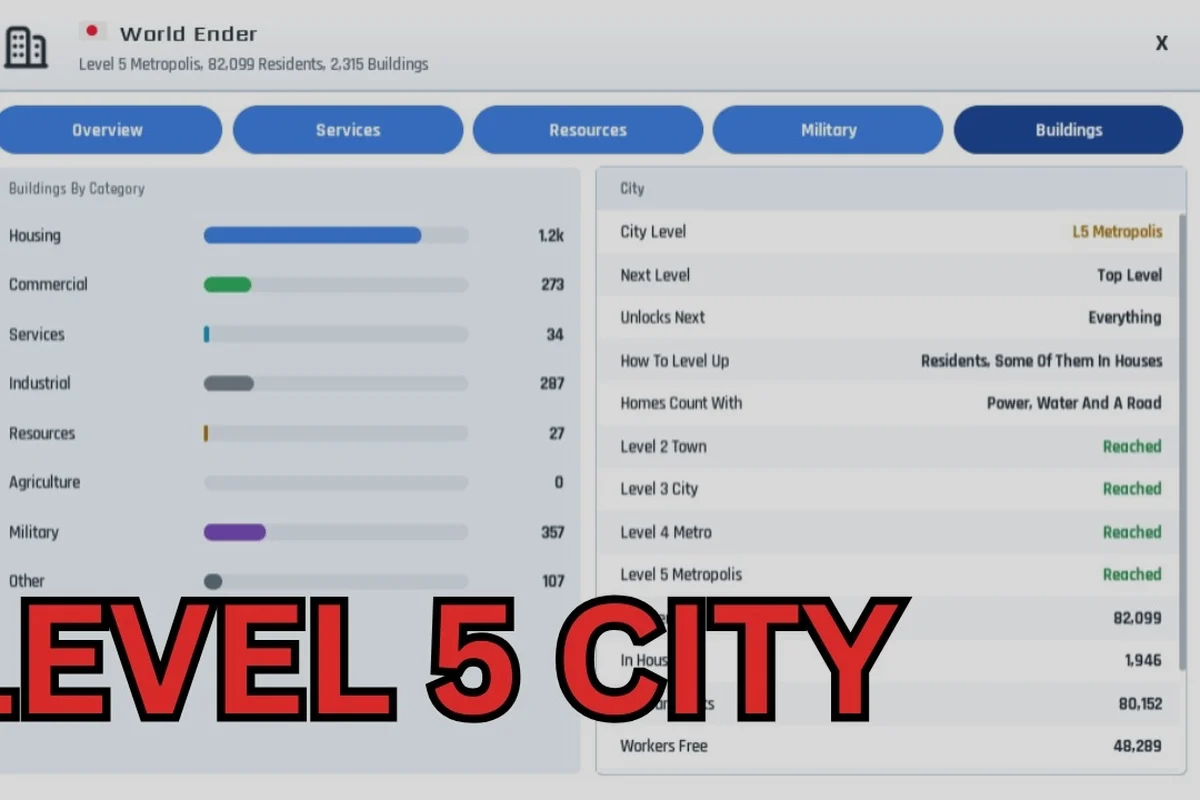
The Build and Conquer fastest way to level up hinges on one early bottleneck: population. Reaching 250 population unlocks Level 2 and military production, which is the single most important early-game threshold because it gates access to guns, soldiers, and every subsequent expansion tier. This roadmap breaks down the verified level requirements, the upgrade flow, and the building priorities that get you from a founding village to a mid-game city without wasting resources on structures that do not move the needle. Once you have that foundation locked in, the next milestone is pushing your settlement through the full upgrade chain to a Level 4 city, and our Build And Conquer How To Get Level 4 City guide walks through the exact resource and structure thresholds you need to hit before the final push.
Understanding Level Gating and the Upgrade City Button
Level gating in Build and Conquer is not a soft suggestion; it is a hard progression wall that determines which buildings, units, and production chains you can access at any given moment. The system works through the upgrade city button, which becomes available once your settlement meets the population and infrastructure requirements for the next tier. According to the official Roblox game page, the current V0.1 beta launched on 2026-08-23 and supports up to 8 players per server, which means the leveling curve is balanced around a single player managing their own expansion rather than team-wide progression.
The core loop is straightforward but punishing if you ignore it: build housing to increase population, hit the threshold, press the upgrade city button, and unlock the next tier of buildings. What trips up new players is assuming that building more farms or services will level the city directly. It will not. Only population counts toward the gate, and population comes exclusively from housing structures. Every other building type either supports that housing or consumes the resources it generates.
How the Level Gate Actually Works
The level gate operates on a simple check: the game scans your current population against the requirement for the next city level. If you meet it, the upgrade city button lights up. If you are short by even one citizen, the button stays locked, and no amount of extra farms, roads, or decorative structures will change that. This is why the fastest leveling strategies all converge on housing density and build-order efficiency.
Because the beta is still in active development as of October 2026, some thresholds remain unverified. The developer has confirmed Level 2 requires 250 population, but Levels 3 through 5 are community-compiled figures that may shift with patches. Treat any number beyond Level 2 as directional rather than absolute, and always cross-check against the current build before committing to a long expansion plan.
| City Level | Verified Requirement | Unlocks | Verification Status |
|---|---|---|---|
| Level 1 | Starting tier | Housing, farms, basic services | Creator-verified |
| Level 2 | 250 population | Guns, soldiers, early military production | Creator-verified |
| Level 3 | Community-reported threshold | Expanded building options, stronger units | Community-compiled |
| Level 4 | Community-reported threshold | Heavy industry, vehicle production | Community-compiled |
| Level 5 | Community-reported threshold | Endgame city-build content | Community-compiled |
This table is your reference for the entire early game. The jump from Level 1 to Level 2 is the only fully documented step, which makes it the most reliable target for a speed-focused run. Everything after that requires experimentation and careful observation of what the upgrade city button demands when you reach the threshold.
City Expansion Levels and the Population Bottleneck
City expansion levels in Build and Conquer are not cosmetic milestones; each tier reshapes what your settlement can produce and defend. The founding stage at Level 1 keeps you limited to housing, farms, and basic services, which means your economy is entirely agricultural and your military options are nonexistent. That changes the moment you cross into Level 2, because guns and soldiers unlock alongside early military production, giving you both offensive capability and a reason to invest in resource chains beyond food.
The population bottleneck is the central constraint of the early game. Every housing structure adds a fixed number of citizens, and every citizen consumes food from your farms. If you build housing faster than your food supply can sustain, you stall out because citizens stop arriving or existing ones leave. Conversely, if you overbuild farms before housing, you waste build time and resources on surplus food that does not advance your level. The fastest path balances these two forces tightly.
Housing Density Versus Food Supply
The most common early mistake is treating housing as a secondary priority while chasing production buildings that look impressive but do not contribute to the level gate. In the V0.1 beta, the only verified way to reach Level 2 is to push population to 250, which means housing is your primary lever. Farms matter only insofar as they keep that housing fed, and services matter only insofar as they prevent attrition.
| Building Priority | Purpose | Impact on Leveling |
|---|---|---|
| Housing | Increases population | Direct — required for every level |
| Farms | Produces food for citizens | Indirect — prevents population loss |
| Basic services | Maintains citizen stability | Indirect — reduces attrition |
| Military production | Unlocks at Level 2 | Post-gate — does not help reach Level 2 |
| Heavy industry | Unlocks at Level 4 | Late-game — irrelevant for early leveling |
This priority order holds for the entire early game. If you are deciding between one more housing block and one more farm, the housing block is almost always the correct choice when you are below the population threshold, provided your food surplus can absorb the new citizens. The upgrade city button does not care how efficient your farms are; it only checks the population number.
The Fastest Early Levels Guide: Build Order and Queue Management
The Build and Conquer early levels guide that follows is built around the verified Level 2 requirement and the community-reported patterns for Levels 3 through 5. It assumes you are playing solo or with minimal coordination, because the beta's 8-player server cap means most progression happens independently even when other players share the map. The goal is to minimize idle time between the moment you meet a population threshold and the moment you press the upgrade city button.
Your building queue should never be empty during the early game. Every second your construction slots sit idle is a second you are not adding population, which directly delays your next level. The fastest players keep at least one housing structure in the queue at all times while rotating farms and services in as food and stability demand. This is not a complex optimization; it is a discipline that separates fast levelers from players who plateau at Level 2 for hours.
Step-by-Step Early Build Order
The following sequence gets you from founding to Level 2 in the shortest reliable time. It is based on the verified 250-population requirement and assumes you start with the default founding resources.
-
Step 1: Build two housing structures immediately. Your first action should be placing housing, not farms or services, because population is the only thing that counts toward the gate.
-
Step 2: Add one farm as soon as the first housing completes. This keeps your initial citizens fed while you continue expanding housing.
-
Step 3: Queue a third housing structure. Keep housing as the dominant item in your build queue until you approach the food deficit line.
-
Step 4: Alternate farms and housing based on food surplus. When food is positive, build housing. When food is negative or near zero, build a farm.
-
Step 5: Press the upgrade city button at 250 population. Do not wait for a buffer; the gate checks the number, and any delay is wasted time.
This sequence is intentionally simple because the early game does not reward cleverness. It rewards consistency and the willingness to ignore buildings that do not contribute to the population gate. Once you hit Level 2, the calculus shifts because military production becomes available, but the core principle of population-first leveling remains intact through every subsequent tier.
Level Requirements List and the Path to Max Out
The Build and Conquer level requirements list is short in the current beta, but each step represents a significant jump in what your city can do. Level 1 is the founding stage with housing, farms, and basic services only. Level 2 requires 250 population and unlocks guns, soldiers, and early military production. Level 3 is the mid-game tier with expanded building options and stronger units. Level 4 brings heavy industry and vehicle production. Level 5 is the highest known tier, featured in endgame city-build content.
The path to max out is not a straight line because each tier introduces new resource demands that compete with your housing expansion. At Level 2, for example, you need to feed both your civilian population and your new military units, which means food consumption rises faster than population alone would suggest. Players who ignore this and keep building housing at the same rate often find their food supply collapsing just as they approach the Level 3 threshold.
Community-Reported Thresholds for Levels 3 Through 5
Because only Level 2 is creator-verified, the numbers for Levels 3 through 5 come from community testing and footage of the V0.1 beta. These figures are directional and may change as the developer patches the game, but they provide a useful planning baseline for players who want to push beyond the early game.
| City Level | Community-Reported Threshold | Key Unlock | Confidence |
|---|---|---|---|
| Level 3 | Mid-game population range | Expanded buildings, stronger units | Medium — multiple reports |
| Level 4 | Advanced population range | Heavy industry, vehicles | Low — fewer reports |
| Level 5 | Endgame population range | Highest-tier content | Low — rare footage |
The confidence levels here matter. Level 3 has enough community reports to be reasonably reliable, while Levels 4 and 5 are based on limited footage and should be treated as targets rather than confirmed numbers. If you are pushing for the city level max out, expect to experiment and adapt as the beta evolves.
Optimizing the Upgrade Flow for Speed
The upgrade city button is the single most important UI element in your leveling journey, but it only appears when you meet the requirements. That means your entire early game is spent working toward the moment that button becomes clickable, and every decision you make should be evaluated against whether it brings that moment closer. Buildings that do not increase population or sustain population are dead weight until you cross the next gate.
One underrated aspect of the upgrade flow is the transition period immediately after you level up. When you press the upgrade city button, your city tier changes, and new building options appear in your construction menu. The fastest players already know what they want to build before the upgrade completes, because the time spent browsing the new menu is time not spent adding population toward the next threshold. Plan your post-upgrade build order in advance.
Avoiding the Post-Upgrade Stall
The post-upgrade stall is a common pattern where players hit a new level, spend several minutes exploring the new buildings, and then realize they have not queued anything toward the next population goal. This stall can cost more time than any inefficiency in the pre-upgrade phase because it happens at every single tier transition. The fix is simple: decide your first two post-upgrade buildings before you press the button.
Because the beta is still being tuned, the exact building costs and population values may shift between patches. What will not shift is the fundamental structure of the level gate: population thresholds unlock tiers, and housing is the only way to raise population. Keep that structure in mind, and you can adapt to any balance changes without losing your leveling momentum.
Frequently Asked Questions
What is the fastest way to level up in Build and Conquer?
The fastest way is to prioritize housing above all other buildings until you hit the 250 population requirement for Level 2, then press the upgrade city button immediately. Keep farms in rotation only to prevent food deficits, and avoid buildings that do not contribute to population growth.
How does level gating work in Build and Conquer?
Level gating locks buildings, units, and production chains behind city tiers. You advance by meeting population thresholds, which are checked when you use the upgrade city button. Only Level 2's 250-population requirement is creator-verified; higher tiers are community-reported and may change with patches.
What does the upgrade city button do?
The upgrade city button advances your settlement to the next tier once you meet the population requirement. It unlocks new building options, military production at Level 2, heavy industry at Level 4, and endgame content at Level 5. The button stays locked until the threshold is met.
What are the confirmed level requirements?
Level 1 is the starting tier with housing, farms, and basic services. Level 2 requires 250 population and unlocks guns, soldiers, and early military production. Levels 3 through 5 have community-compiled thresholds for expanded buildings, heavy industry, and endgame content, but these are unconfirmed.
Can I max out my city level in the current beta?
The highest known tier is Level 5, featured in endgame city-build content, but reaching it requires pushing through unverified population thresholds at Levels 3 and 4. Because the beta changed often in October 2026, treat the max-out path as experimental and adapt to each patch.