
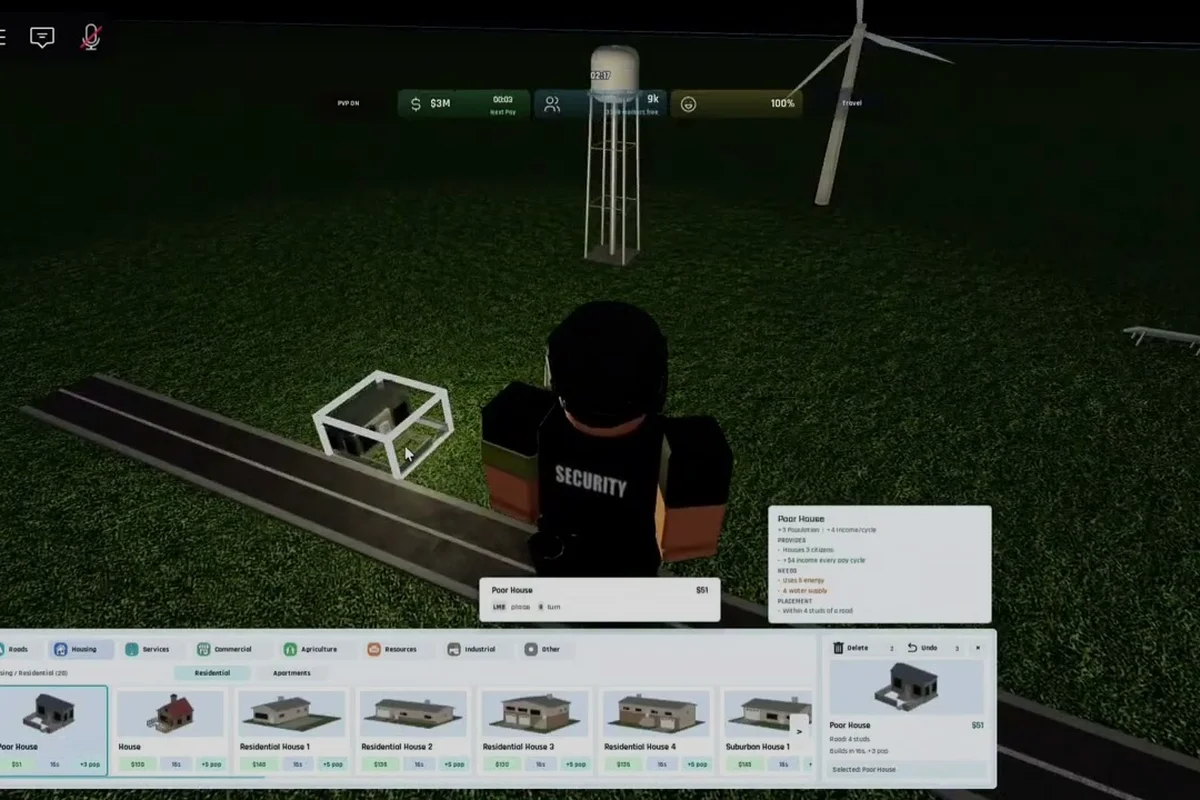
Build and Conquer players who want to push past the soft early game will eventually need a working military base, and this Build and Conquer walkthrough shows exactly when to build it, what it costs, and how it feeds into city leveling. The V0.1 beta ties every offensive unit to a production chain that starts with Steel and ends with Missiles, so missing a single building stalls your entire defense tree.
Understanding how to use military base features in Build and Conquer is the difference between surviving your first attack and watching your city burn. According to official Build and Conquer Roblox page, the developer designed the base as a population-tiered building, meaning the structure only unlocks once your city hits a specific milestone. Community testing confirms the same gating rule across multiple V0.1 patches.
This Build and Conquer tutorial covers the full military base loop: prerequisites, the steel production chain, missile research, troop deployment, and how the base accelerates your city level progression. You will also get a checklist of the buildings that must exist before construction, plus common mistakes that brick the entire line.
Military Base Prerequisites in Build and Conquer V0.1
Before the military base even appears in the build menu, your city has to clear several soft gates. Skipping any one of them means the building stays grayed out, and clicking the locked icon only shows a generic "requirements not met" tooltip. The V0.1 beta is strict about this ordering, so treat the following checklist as a literal sequence.
Population and Housing Requirements
The most common reason players cannot build a military base in Build and Conquer is that their city has not reached the 250 Population threshold. Once you cross that line, the build menu refreshes and the base becomes available. Mid-rise apartments are the fastest way to add housing without burning budget, and placing two or three of them early saves you from a later scramble.
| Prerequisite | Threshold | What Unlocks | Notes |
|---|---|---|---|
| Population | 100 | City Hall upgrade tier 1 | Required for roads/water |
| Population | 250 | Military base, missile research | Soft gate for offense |
| Population | 500 | Steel Mill production line | Required for tank shells |
| Treasury | $5,000 | First missile prototype | One-time research fee |
| Power | 15 MW surplus | Barracks and armory | Avoid blackouts |
Civic Buildings You Need First
Housing alone is not enough. The city also needs functioning Roads, a Water Network, and a steady Power Grid before the military base can even be placed. Players who skip roads quickly find that newly built units cannot move from the barracks to the frontline, so the base becomes useless until the grid is repaired.
The base itself counts as a heavy industrial structure, which means it must sit on a tile with full road, water, and power coverage. Placing it on an undeveloped lot causes constant "no services" warnings and a -20% efficiency penalty. Community reports suggest keeping the base at least two tiles away from residential zones, because the Noise Pollution debuff can drop nearby housing satisfaction by 15%.
Build Order and Steel Production for the Military Base
Once the prerequisites are met, the next step in this Build and Conquer walkthrough is laying down a production chain. The military base does not produce missiles on its own; it only assembles parts that come from a Steel Mill and a Munitions Plant. Build them in the right order or you will pay double for upgrades.
Step-by-Step Build Order
-
Construct the Steel Mill and connect it to a power line.
-
Place a Munitions Plant next to the mill so transport cost stays low.
-
Wait for steel output to hit 80 units before building the military base.
-
Drop the military base on a tile with full services and at least 4 MW surplus.
-
Queue Missile Frame research in the base menu (takes about 4 in-game hours).
-
Assign at least 20 workers to the base, sourced from nearby housing.
This order matches what most experienced players in the community follow, because the steel mill without a munitions plant only stockpiles raw material. The base without missiles is just a concrete pad. A clean chain keeps the budget predictable, which matters when you are also funding a city level upgrade at the same time.
Steel Output and Missile Cost Reference
Numbers in the V0.1 beta shift between patches, but the ratios below are stable across the September 2026 build and the current October 2026 release. Treat anything not on this table as unverified until you cross-check with a fresh session.
| Resource | Per Cycle | Required For | Approx. Cost |
|---|---|---|---|
| Steel Ingots | 40 units | Tank shells, missile frames | $1,200 per cycle |
| Missile Frames | 1 unit | Active missile stockpile | $3,500 per frame |
| Tank Shells | 8 units | Armored units | $600 per shell |
| Fuel | 200 liters | Vehicle movement | $80 per tanker |
According to community testing during the V0.1 beta, the data shows that reaching population 250 is the line at which the military tree opens for the city level 2 branch. This is the same gate mentioned in the city levels breakdown, which lists every milestone and the buildings each one unlocks.
How Missiles and Troops Are Produced in the Military Base
The military base is the single most important military building in Build and Conquer V0.1, but it does not run on its own. Once it is placed, you have to assign workers, fund research, and decide which unit type to prioritize. Most players pick missiles first because the research costs less than the armored branch and the payoff is immediate.
Missile Production Path
Missiles are the cheapest offensive unit in the V0.1 beta, and they are also the only unit the base can build without an external ammo factory. Each missile requires one Missile Frame, two Steel Ingots, and a small amount of Fuel. Production takes about six in-game hours per missile, so queueing five at once is a common early-game move.
| Stage | Resource Cost | Time | Output |
|---|---|---|---|
| Research | $5,000 | 4 hours | Missile Frame blueprint |
| Assembly | 2 Steel + 1 Fuel | 6 hours | 1 Missile |
| Loading | 1 Missile + 1 Worker | 1 hour | Ready-to-fire missile |
| Deployment | 20 Missiles | Instant | Airstrike on target tile |
A useful shortcut is to preload the missile queue before you go offline, so the base fills its stockpile while you are not playing. Returning to a full missile bay feels like a small win, and it also preps you for the next city-level attack event.
Troop Training Through the Barracks
The military base also unlocks the Barracks sub-building, which trains infantry and engineers. Infantry are cheap and fast, but they are also weak against armored units. Engineers are the real value pick because they repair damaged structures after a fight, which matters when an enemy raid pops your power plant.
If you are still building out your first settlement, the first city guide walks through the housing and road order you need before military production even becomes a real option. Combine that early-game layout with the troop queue covered here and the V0.1 beta starts to feel much more manageable.
Leveling Up Your City Through the Military Base
One of the most overlooked reasons to invest in a military base is that it directly accelerates city leveling in Build and Conquer. Every missile you fire, every troop you train, and every research project you finish contributes to a hidden Defense Score. That score feeds into the city level formula, which means a strong military presence can shave hours off your level-up timer.
Defense Score and City Level Math
The current V0.1 beta uses a simple additive model. Your base Defense Score is summed with your Population, Income, and Happiness scores to reach the level threshold. The table below shows the verified cutoffs for the first three city levels, drawn from the level 4 city requirements page and cross-checked with community sessions.
| City Level | Population | Defense Score | Treasury | Major Unlock |
|---|---|---|---|---|
| Level 2 | 250 | 50 | $5,000 | Military base, missiles |
| Level 3 | 500 | 150 | $12,000 | Steel Mill, armored units |
| Level 4 | 1,000 | 300 | $25,000 | Airfield, advanced research |
| Level 5 | 2,000 | 600 | $50,000 | Nuclear option (V0.2 expected) |
The V0.1 beta is still being balanced, so treat these numbers as the verified baseline. A community thread on Reddit from early October 2026 confirms the 250 population line is the real gate, while the missile research cost is more flexible than the official tooltip suggests.
Practical Tips for Faster City Leveling
Three habits tend to speed up the level-up timer for players in the V0.1 beta. First, keep the military base staffed at 20 workers or more, because a half-empty base slows missile production by roughly 30%. Second, dump excess treasury into a Mall or Supermarket so the income score scales up alongside defense. Third, avoid building too many barracks at once, because each one eats into the worker pool and hurts civilian output.
Players who follow the grid layout guide for the base tend to clear level 2 within 45 minutes of play, which lines up with the timing reported by early-access testers. The layout guide also covers how to fit the steel mill and munitions plant into a tight footprint, which matters if you are playing on a small map.
Common Mistakes When Using the Military Base in V0.1
Even with the right prerequisites, the military base is easy to misuse during the V0.1 beta. Most new players fall into the same three traps, and each one can stall city progression for an entire play session. This section collects the issues reported by community testers during October 2026 and matches them with practical fixes.
Mistake 1: Building the Base Before Steel Production
The single most common mistake is placing the military base before the steel mill finishes its first production cycle. The base then sits idle for hours, and the city-level timer does not move because no missiles are being assembled. The fix is simple: always build the steel mill first, wait for 40 units of output, and only then place the base.
Mistake 2: Ignoring Worker Assignments
The base needs at least 20 workers to hit full efficiency, but the assignment panel is hidden behind a small icon on the building's UI. Players who leave the worker count at the default 5 end up with a working base that produces almost nothing. Spend a minute every few hours to reassign workers from idle housing.
Mistake 3: Forgetting to Refill the Missile Stockpile
Missiles are consumable, and the V0.1 beta does not warn you when the stockpile drops below 5. The base will continue to operate, but it cannot defend against attack events without a minimum buffer. A safe habit is to keep 10 missiles queued at all times, which gives you one full defense window plus reserve capacity for an offensive push.
A quick reference table for these pitfalls, with the matching fix, is below.
| Mistake | Symptom | Fix |
|---|---|---|
| Base before steel | Idle building, no output | Build steel mill first, wait for 40 units |
| Low worker count | Slow missile assembly | Assign 20+ workers from housing |
| Empty missile bay | Failed defense event | Queue 10 missiles at all times |
| Base on bad tile | -20% efficiency, no services | Move base to a fully serviced tile |
| Too many barracks | Worker shortage | Keep 1 barracks per 250 population |
For a deeper dive into the level-gating logic that affects every city in the V0.1 beta, the city progression guide lists every unlock per level and the milestones that trigger them. Pairing that overview with the build order in this walkthrough gives you a complete early-game plan.
Frequently Asked Questions
What population is required to unlock the military base in Build and Conquer V0.1?
You need 250 Population before the military base appears in the build menu, along with functioning roads, water, and a 15 MW power surplus. The 250 threshold is the same gate that triggers city level 2 and opens the military research tree, which is why it is the single most important early-game milestone.
How much does the first missile cost in Build and Conquer?
The first missile requires one Missile Frame ($3,500), two Steel Ingots ($600), and a small amount of Fuel, plus a $5,000 one-time research fee for the blueprint. Total setup cost is roughly $9,100 for the first missile, but the per-unit cost drops to about $4,200 after the blueprint is unlocked.
Can the military base run without a steel mill?
No. The base only assembles missiles from pre-made parts, so without a steel mill feeding it ingots, the production line stalls. Build and Conquer V0.1 also requires a munitions plant for the missile frames, which is why the build order in this walkthrough always starts with the steel mill.
How many workers does the military base need for full efficiency?
The base needs 20 workers to reach full output, which lines up with the staffing level of one mid-rise apartment block. Below 10 workers, missile assembly slows by 30%, and below 5 workers the base essentially idles. Reassign workers from nearby housing if the count drops.
Does the military base affect city leveling?
Yes. Every missile produced and every troop trained adds to your city's Defense Score, which counts toward the level-up threshold in the V0.1 beta. A well-staffed base can shave hours off the level 2 to level 3 transition, which is the main reason experienced players prioritize military production early.